Countryside Color
Mint XX GamesBoard
4.7361.00 Reviews
- Version
- 1.0.3
- Installs
- 100.00K
- Age Rating
- Everyone
Screenshots


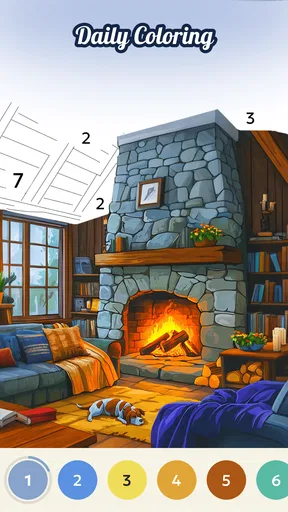
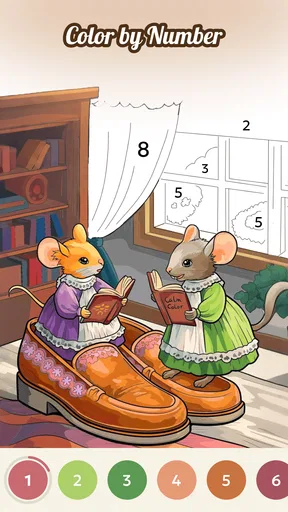
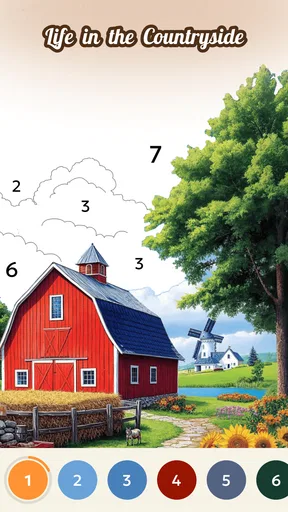
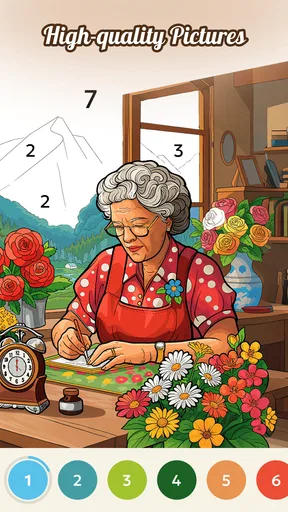

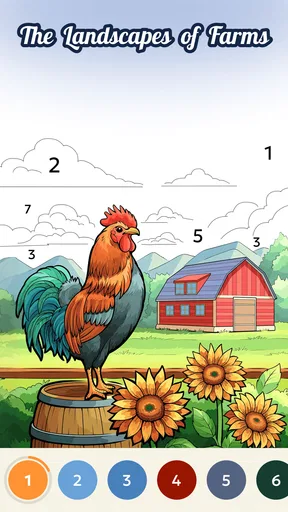
Our Review of Countryside Color
 Analysis by Appyee
I spent time with Countryside Color as a quiet board-style game built around a countryside coloring experience, and my first impression was that it aims for calm rather than competition. That makes it appealing for short breaks, relaxed evenings, and anyone who enjoys visual puzzles without the pressure of timers or opponents. It is free to start, suitable for Everyone, and developed by Mint XX Games.
The important question is not simply whether the pictures are pleasant. It is whether the game remains comfortable to use when your attention, vision, movement, or surroundings are not ideal. In my experience, that is where this title is more interesting than its short store description suggests. It can be soothing and easy to approach, but some of its accessibility depends on how clearly you can see the artwork and how precisely you can interact with it.
How clearly the game supports different ways of playing
I find the game’s support for different ways of playing clearest in its unhurried, picture-focused format: it leaves room to work at your own pace rather than asking for quick decisions. In the next section, I’ll look at how that calm approach meets practical needs such as readable details, steady handling, and a comfortable session length.
Readability and navigation during a coloring session
The strongest part of the experience is its simple visual purpose. You open the game expecting countryside scenes and coloring, not a complicated board with several systems to learn. That narrow focus helps reduce mental load. I did not feel that I needed to memorize rules before starting, which is useful for younger players, older adults, and anyone who prefers games that explain themselves through the screen.
That simplicity also makes it easier to return after a break. A person who plays for a few minutes on a bus or before bed does not need to reconstruct a long strategy. The countryside theme gives the experience a gentle identity, while the coloring format makes the activity feel closer to a digital coloring book than to a traditional competitive board game.
Still, visual simplicity should not be confused with perfect readability. Coloring games often ask you to distinguish small areas, borders, and color relationships. If the artwork presents narrow sections or low-contrast details, a player with reduced vision may need to zoom mentally, move the device closer, or spend more time checking whether an area has been completed. Those are practical considerations even when the overall interface feels approachable.
I would recommend increasing the device’s text size only if the operating system and the game respond well to it, then checking the result rather than assuming every screen will adapt. A large system font can sometimes make labels less comfortable in games that were designed around fixed artwork. The better approach is to test one complete coloring session and see whether menus, prompts, and scene details remain easy to follow.
Navigation matters most when a game includes several choices around the main activity. I found that the best way to approach this title is to treat the coloring area as the primary workspace and avoid rushing through surrounding screens. If you are helping someone else use it, let them learn the route from opening the game to selecting a scene and returning afterward. That small routine can matter more than a formal tutorial for a player who finds unfamiliar interfaces tiring.
Motor comfort and sensory demands
The game’s likely appeal for motor accessibility comes from its slower, noncompetitive format. There is no need to react to an opponent or complete a move before a countdown expires. That gives players more time to place a touch accurately and reduces the stress that comes with fast board games. For someone with limited dexterity, tremor, or fatigue, a calm coloring activity can be easier than a title that depends on rapid taps.
However, coloring itself can create a precision challenge. Small sections may require repeated touches, and an accidental tap can be frustrating if it changes the wrong part of a picture. I would use a stable surface rather than holding the phone in one hand, especially during a longer session. A stand can also help a player keep the screen at a comfortable angle without gripping the device continuously.
A useful personal strategy is to play in short stages instead of trying to finish an image in one sitting. Complete the larger, easier areas first, then decide whether the smaller details are worth the extra effort. This turns the game into a flexible activity rather than a test of hand control. It is one of the more practical ways to make the experience work for someone whose accuracy changes with tiredness.
Sensory comfort is another matter. A peaceful countryside theme may feel less intense than an action game, but screen brightness, color saturation, sound, and repeated visual patterns can still affect different players in different ways. I would begin with the device brightness at a moderate level and adjust the volume separately. If the game offers its own sound controls, keeping effects low can make it more suitable for quiet environments or people who are sensitive to sudden audio.
Players who rely on color distinction should be especially thoughtful. A coloring game naturally communicates through visual differences, so it may be harder to interpret for someone with color-vision limitations if important areas are separated mainly by hue. I would not assume that a color alone is enough information. Look for clear borders, labels, or other visual cues while playing, and consider whether the pictures remain understandable when the screen is dimmed or viewed from an angle.
Using it in everyday situations
This is the kind of game I can imagine using during a waiting period when I want something more engaging than scrolling but less demanding than a strategy match. A realistic example would be a ten-minute break between appointments: I could open a countryside scene, work on a few broad areas, and stop without feeling that I had abandoned a competitive round. That flexibility is a genuine strength.
It also suits shared use. A parent and child can discuss which colors might fit a scene, while an older relative can take part at a relaxed pace without needing to understand a complicated game economy. The Everyone age rating supports that broad audience, although supervision and device settings still matter for younger players, particularly when in-app purchase options are present.
For study or work breaks, I would use it as a reset rather than as a background activity. The visual focus can pull attention away from a stressful task, but it may not be ideal if you need to keep listening to a meeting or watching for notifications. A person with attention difficulties may appreciate the single-task format, while someone who becomes absorbed in visual detail may want a timer outside the game to keep the break from expanding.
It can also be a reasonable choice for someone who dislikes traditional board-game pressure. Compared with chess, checkers, or competitive digital board games, this experience is less about predicting another player and more about completing a visual activity. Compared with a general coloring app, its board-game category gives it a more game-like frame, but it may not provide the same creative freedom as a blank canvas or a tool designed for freehand drawing.
What the game does well for inclusive play
The most inclusive quality is its pace. A game that does not force immediate decisions gives more people a chance to participate on their own terms. Players can focus on the picture, pause when their hands or eyes need a rest, and return later. That is particularly valuable for casual users who want a gentle routine instead of a performance challenge.
Another strength is the low barrier to understanding the basic idea. You do not need previous experience with complex board games, and the countryside theme is easy to grasp. A player can approach it for relaxation, while a family member can explain the general activity without teaching a long rule set. This makes it more welcoming than many board titles that assume comfort with planning, competition, or dense menus.
The free entry point also makes trying it less risky. You can see whether the visual style and interaction suit you before deciding whether it deserves a regular place on your device. That matters for accessibility because comfort is personal: one player may find the artwork clear and soothing, while another may discover that the required precision or color reading is tiring.
I would also treat the game as a useful low-pressure option for people who want a screen activity with a visible sense of progress. Completing part of a picture can feel more tangible than endlessly browsing social feeds. The key is to keep the session voluntary and comfortable. If a particular image becomes frustrating, moving away from it is better than treating completion as an obligation.
Where the experience still creates barriers
The main limitation is that a coloring-focused game cannot avoid visual dependence entirely. Even a clean interface still asks the player to inspect images and distinguish areas. Someone who needs strong contrast, spoken guidance, or nonvisual controls may find the experience difficult if those supports are not available in the particular version they install.
Touch precision is a second barrier. The slower pace helps, but it does not remove the need to select the intended part of a picture. Players with involuntary movement or limited reach may need a larger device, a stable stand, or frequent breaks. I would not choose this as a first option for someone whose priority is completely hands-free play.
There is also a practical financial consideration. The game is free, but individual in-app purchases range from $4.99 to $69.99. That wide range means families should review purchase controls before handing over the device, and anyone who prefers a one-time purchase should think carefully about whether this model feels comfortable. The free starting point is helpful, but it does not automatically make every part of the experience equally accessible to every budget.
Device compatibility is fairly broad for modern Android users because the minimum requirement is Android 6.0, yet older hardware can still affect comfort through screen size, responsiveness, or battery behavior. A technically compatible phone may not be the best physical device for detailed coloring. If you have access to a larger screen, it may be worth comparing both before committing to longer sessions.
Players who want social competition, deep strategy, or a large variety of rule-driven challenges should probably look elsewhere. A traditional board-game app may be better for two-player interaction, while a dedicated digital art app may be better for drawing outside predefined scenes. This title works best when the goal is a calm, structured coloring activity rather than broad creative control.
Practical ways to make it more comfortable
I would begin with a short trial rather than judging the game after one quick tap. Choose a scene, check whether the smallest areas are readable, and notice how your hand feels after several minutes. This reveals more than the opening screen. If you are evaluating it for another person, ask them to complete the same steps independently so you can see where they hesitate.
Use the device’s accessibility tools where they genuinely help, but test each one with the artwork. Magnification can make details easier to inspect, although it may require more navigation across the image. Color filters may help some users and make other scenes less clear. There is no universal setting for this game, so the best configuration is the one that reduces effort without making the picture harder to understand.
For children, I would combine the game with purchase restrictions and a simple agreement about when purchases are allowed. The Everyone rating makes it broadly approachable, but the presence of optional spending still deserves attention. For older adults, I would place the device on a stand, keep the interface uncluttered, and demonstrate the return path after a scene is complete.
For players with attention or fatigue concerns, a small personal routine works well: play one section, pause, and decide whether to continue. This avoids turning a relaxing activity into a long session that causes eye strain. If the game’s visual effects or audio become distracting, lower the device volume and brightness before assuming the title itself is unsuitable.
Performance, updates, and long-term fit
The current version is 1.0.3, so I see this as a relatively early release rather than a mature platform with a long history behind it. That is not automatically negative. Early versions can feel focused and less overloaded, but users who depend on very refined accessibility options may prefer to wait and see how the game develops through later updates.
Mint XX Games has positioned the title as a straightforward countryside coloring journey, and that focus helps it avoid the learning curve found in many board games. At the same time, a narrow concept means its long-term value depends on how much you enjoy the central activity. If coloring rural scenes relaxes you, repetition may feel comforting. If you need constant novelty or strategic escalation, the format may lose its appeal sooner.
The game has an average rating of 4.7 from around 2.9 thousand ratings, with over 100 thousand installs. Those figures suggest that many players have found the basic experience appealing, but they do not answer the personal questions that matter most for accessibility: whether the smallest details are comfortable for your eyes, whether touch selection feels forgiving, and whether the purchase structure suits your household. I would use the free entry as a chance to test those points directly.
My inclusive verdict
I recommend Countryside Color to people who want a gentle board-style activity with a countryside theme and no need for fast competition. Its calm pace, approachable idea, and flexible session length make it a good candidate for quiet breaks, family use, and players who find traditional board games too demanding.
My recommendation is more cautious for anyone who needs strong nonvisual support, very large interactive targets, or fully hands-free controls. The game’s core pleasure comes from seeing and selecting parts of an image, so those needs may be better served by a dedicated accessibility-focused game or a drawing tool with more control over input.
For most potential players, the fairest approach is to test one complete scene with the device positioned comfortably. Check readability, touch accuracy, sound, brightness, and how easily you can stop and resume. If those basics feel natural, the game offers a pleasant way to slow down. If they do not, its attractive theme will not compensate for the physical effort.
Overall, I see this as a welcoming casual game with meaningful limits rather than a universal accessibility solution. It succeeds when you want structured relaxation and can comfortably work with visual coloring tasks. Its free starting point makes that judgment easy to make, while the optional purchases and precision demands are the two areas I would consider before recommending it to a child, an older adult, or anyone with specific access needs.
Verdict
Strengths of Countryside Color
- Relaxing coloring gameplay suited to short breaks.
- Simple controls make it accessible for all ages.
- Rural scenes offer a pleasant, peaceful visual theme.
- Works well as a casual, low-pressure creative activity.
- Progressive artwork gives players a reason to keep coloring.
Limitations of Countryside Color
- Some designs may feel repetitive after extended play.
- Small details can be difficult to color on phone screens.
- Hints or extra tools may be limited without in-app purchases.
- The relaxing pace may not appeal to players seeking action.
- Ad interruptions can reduce the calm atmosphere for some users.
Other Releases by Mint XX Games
View All
Jigsaw Puzzle - Countryside
Board4.6

Jigsolitaire Master Puzzle
Board4.6
Similar Picks in This Category
View All
Ludo King®
Gametion4.1

Ludo
Yarsa Games4.6

Tile Master® - Matching Game
Higgs Studio3.6

Checkers Online
CC Games4.6

Dominoes
Loop Games4.7

Chess
Chess Prince4.6
Frequently Asked Questions
What is Countryside Color?
Countryside Color is a relaxing coloring game centered on rural landscapes, peaceful villages, farm scenes, animals, gardens, and other countryside illustrations. Players select an image, choose colors from the available palette, and fill the numbered or outlined areas to complete each picture. It is designed for casual play, creative expression, and stress-free entertainment rather than fast competition or complex gameplay.
How does the gameplay work in Countryside Color?
The gameplay is straightforward and suitable for players who enjoy calm, methodical activities. After choosing a countryside-themed illustration, you tap the marked sections and apply the suggested colors or select shades from the palette. Completed areas gradually reveal the final artwork. Depending on the level, you may also use hints or zoom controls to reach small sections and finish detailed pictures more comfortably.
Is Countryside Color free to download and play?
Countryside Color can generally be downloaded without an upfront purchase, but the exact availability of free content, advertisements, hints, and optional in-app purchases may depend on the version and platform. Some artwork or helpful tools may be restricted until you watch an advertisement, spend in-game resources, or make a purchase. It is worth checking the store listing before downloading.
Can Countryside Color be played offline?
Some previously loaded coloring pages may remain available without an internet connection, making the game convenient for travel or areas with unreliable service. However, an internet connection may still be required to download new artwork, display advertisements, synchronize progress, or process optional purchases. Offline behavior can vary after updates, so players should open the desired content while connected before relying on the app offline.
Is Countryside Color suitable for children and families?
Countryside Color is generally appropriate for players who enjoy simple coloring activities, including many children and families. The controls are easy to understand, and the rural artwork is usually gentle and non-violent. Parents should nevertheless review the app’s age rating, advertising, privacy information, and purchase settings, especially if a child uses a device with access to in-app purchases or external links.
Play our best games!


